This is for minor updates, bugfixes etc. which don't change the required 2sxc/dnn versions.
Make sure you know how the App Auto-Installer works.
- Make sure you already released the app and uploaded it to the app-catalog. Write down the file:xx reference because you'll need it [[File Reference]]
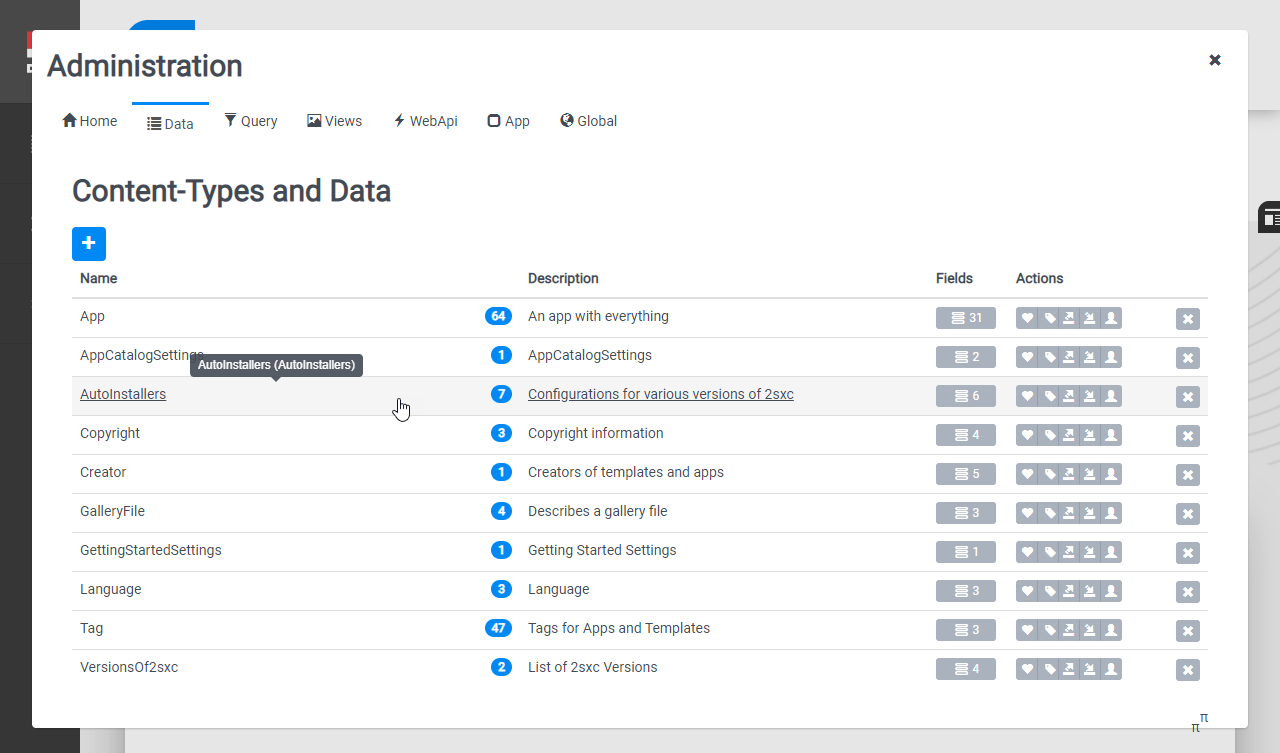
- Log on as host on 2sxc org and got to the App-Catalog app-administration > Data
- Open the AutoInstallers
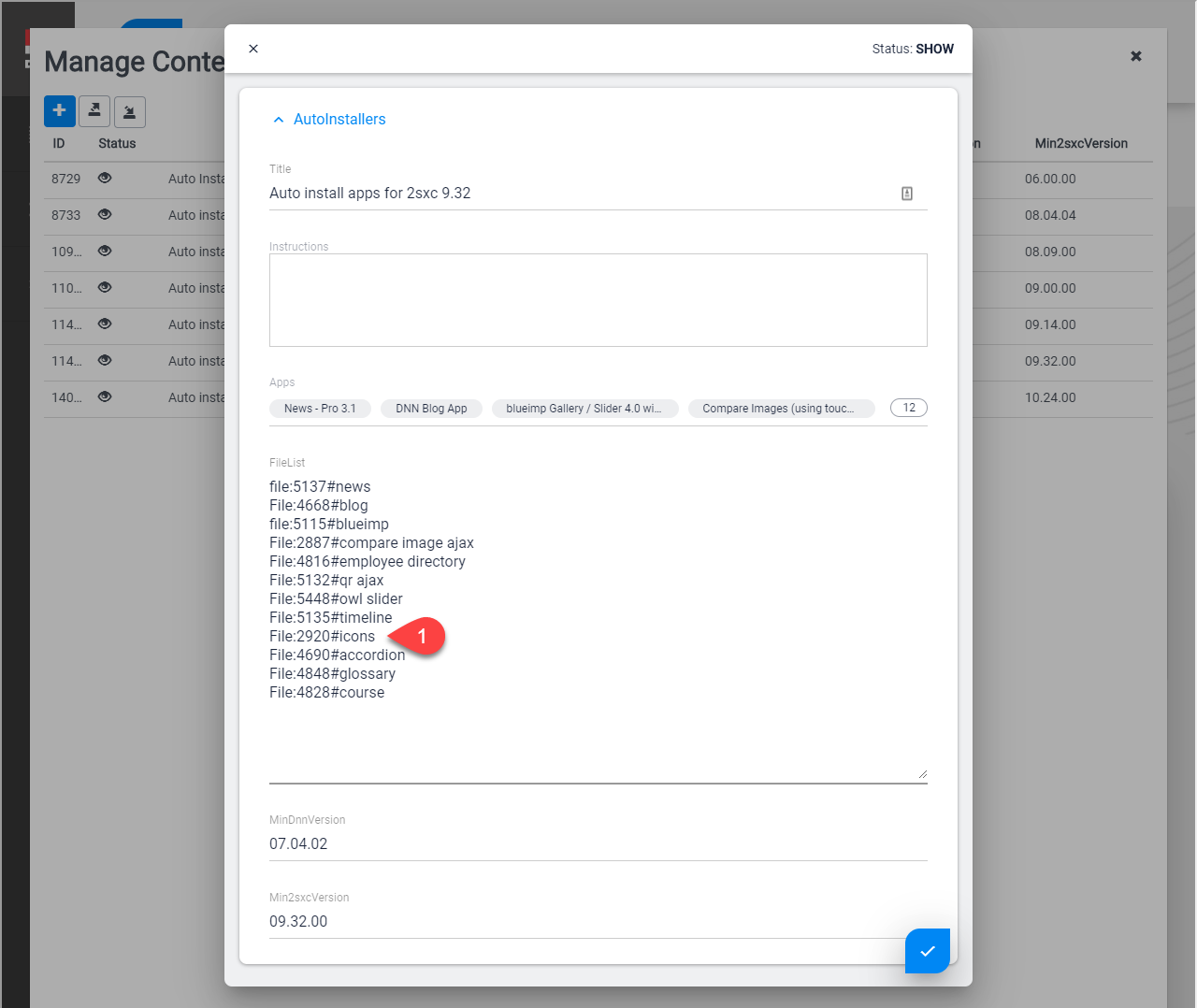
- Go through the list of configurations which match the version requirements and update the file id reference in these
- For each configuration you changed, test the auto-installer in a 2sxc portal