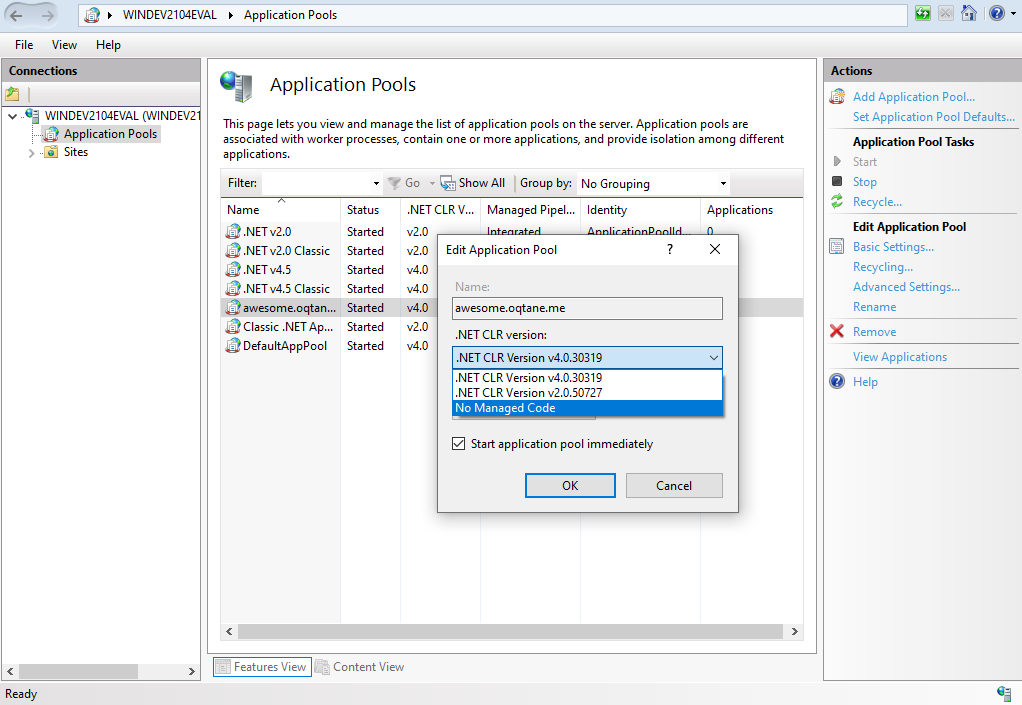
For application pool awesome.oqtane.me we need to set No Managed Code for .NET CLR version.
- In IIS Manager, on the left side, click on Application Pools to get a list of all aplication pools.
- Select application pool awesome.oqtane.me and on right site click on Basic Settings... to open Edit Application Pool dialog.
- Set No Managed Code in drop down list under .NET CLR Version and click [OK] to close dialog.