With Oqtane Source Version, when is running from Visual Studio, by default it is using IISExpress and opens main oqtane site in browser as http://localhost:44357/.
Add additional websites bindings using Sites Management in Oqtane
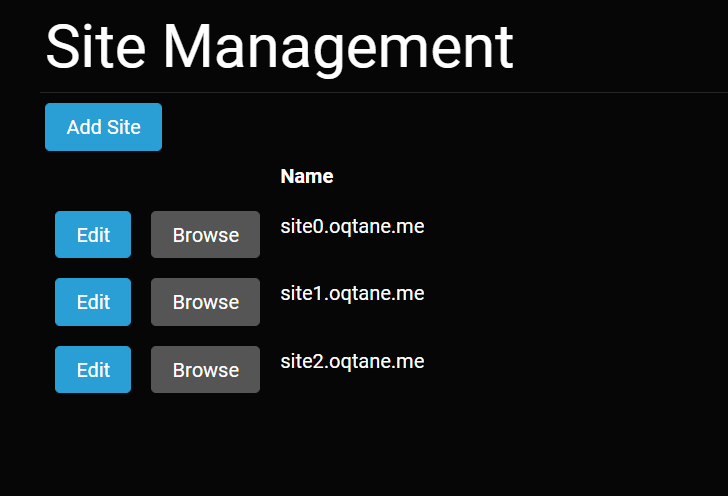
In Oqtane Sites Management we can create additional oqtane sites, and set additional websites bindings like:
localhost:44357, site0.oqtane.me
localhost:44357/site1, site1.oqtane.me
localhost:44357/site2, site2.oqtane.me
Config IISExpress to recognize additional bindings
Please open \.vs\Oqtane\config\applicationhost.config and find line 163:
        <bindings>
          <binding protocol="http" bindingInformation="*:44357:localhost" />
        </bindings>
Insert bindings for site0.oqtane.me, site1.oqtane.me and site2.oqtane.me.
        <bindings>
          <binding protocol="http" bindingInformation="*:44357:localhost" />
          <binding protocol="http" bindingInformation="*:80:site0.oqtane.me" />
          <binding protocol="http" bindingInformation="*:80:site1.oqtane.me" />
          <binding protocol="http" bindingInformation="*:80:site2.oqtane.me" />
        </bindings>
After this when you run Oqtane Source Code in IISEpress, in your browser you can open additional URLs :
http://site0.oqtane.me
http://site1.oqtane.me
http://site2.oqtane.me
Altenative
Use free 3rd party util to config IISExpress like https://www.jexusmanager.com/.
Whole procedure in video
You can find more info in video https://youtu.be/THg1gVAoh48.
Usefull links