If you are using DNN 7, use this recipe.
To install an extension in DNN 8 or 9, do the following
- Log on as superuser
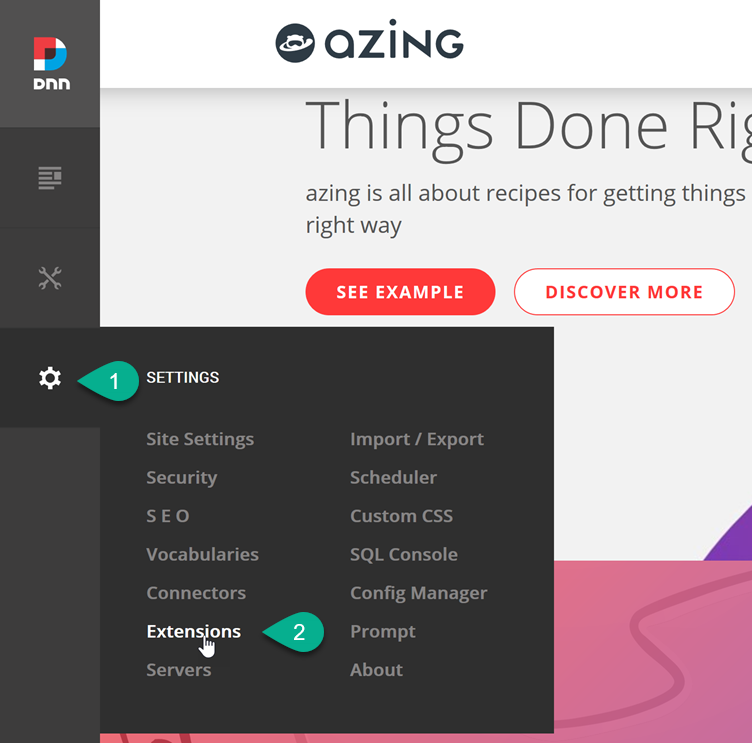
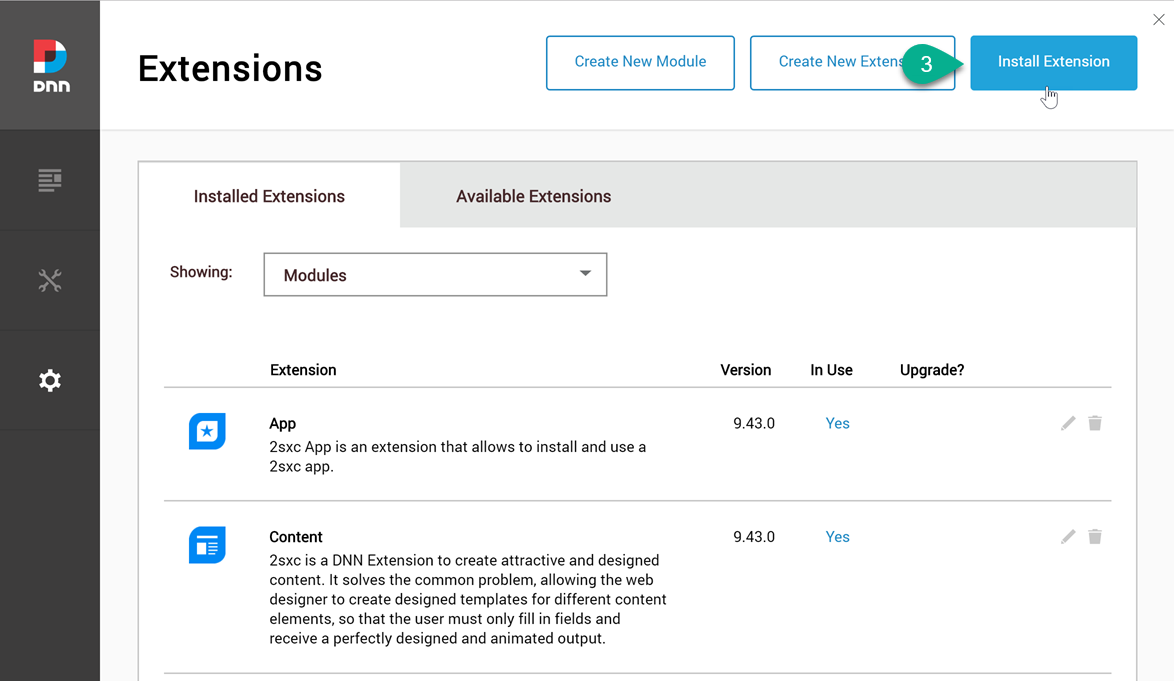
- Go to Settings > Extensions and press Install Extension
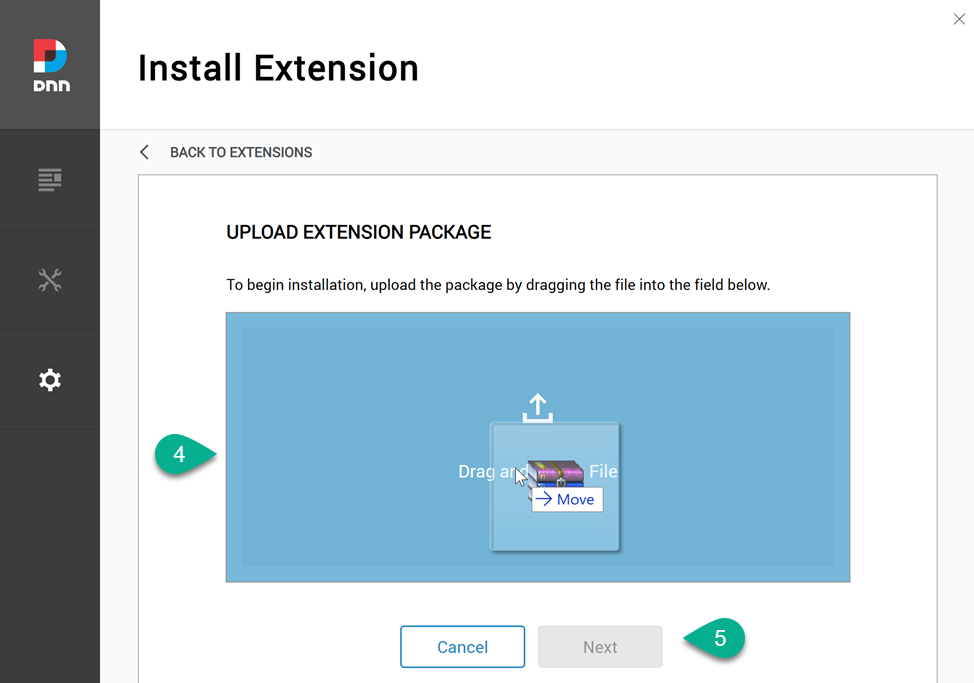
...then upload the file by dragging it unto the screen or clicking on the icon to browse-select the extension. Now click next, and work your way through the wizard
Once the extension is installed, you will probably want to verify that everything works.