After many upgrades, the web.config tends to grow a lot. Once it hits 250k or more, DNN will refuse to restart.
The following expressions should help you search-replace all the comments added during installation, to better get rid of the many logs.
To search-replace use regex in VS Code like this: 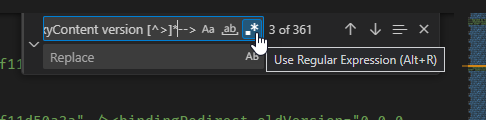
Terms to search/replace for:
[ ]+<!--Upgraded by 2SexyContent version .*-->\n[ ]+<!--<dependentAssembly .*</dependentAssembly>-->
This should look for
- leading spaces
- the
<!--Upgraded by 2SexyContent beginning the comment and all the way to the end of that
- a new line
- more leading spaces
- the
<dependentAssembly start and all the way to the end of that
- with the trailing
--> and new-line at the end as well