Current Versions (11 and newer)
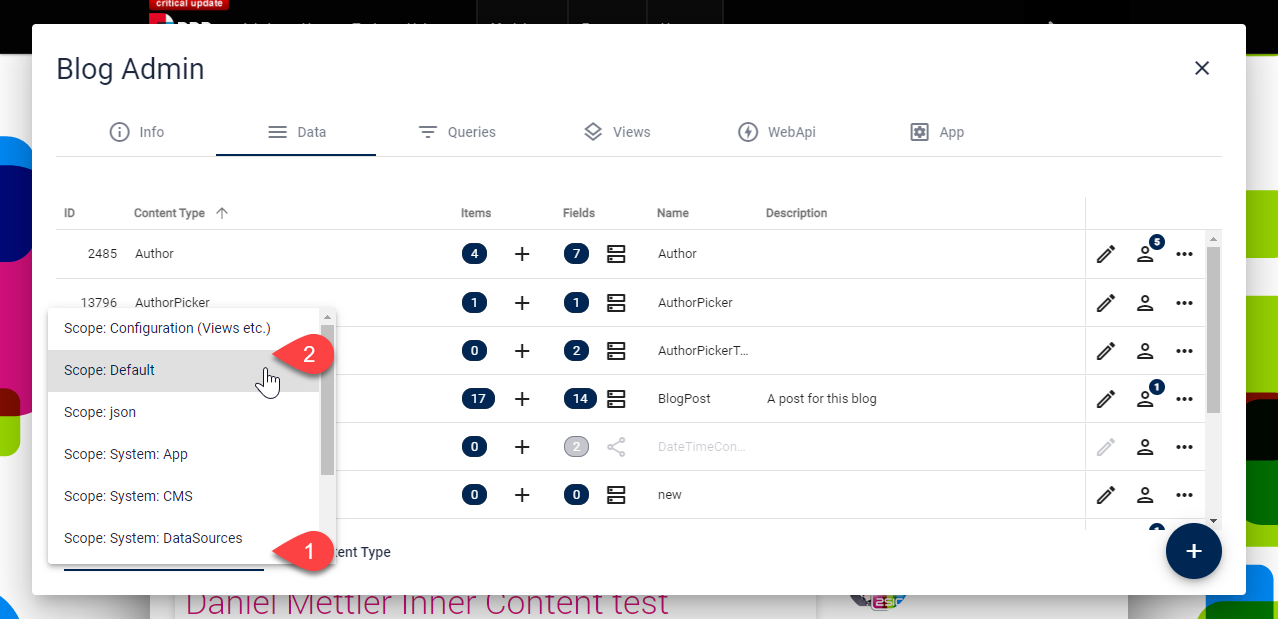
Use the built-in Scope switcher.
Older Version before 2sxc 11
The data scopes in the EAV-system are here to group virtual tables. The default scope shows you all the content-types which a user should typically work with. As switching to another scope is an advanced thing which only experts should do, it's hidden by default. To switch to another scope...
- Go to the app management - data
- Enter expert / debug mode
- Hit the scope button:
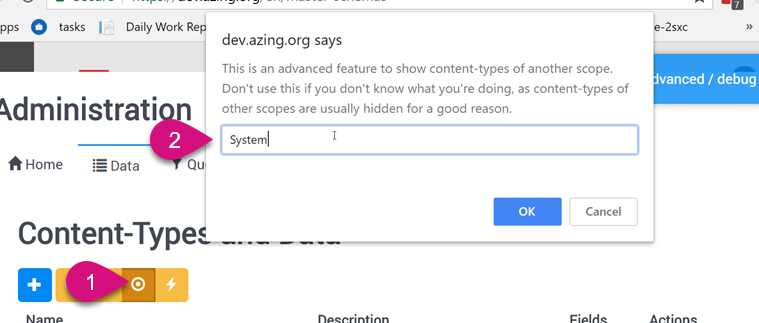
- ... and type in the desired scope name